Alert Setup
How to Set Up GainzAlgo Alerts on TradingView
To use TradingView Alerts, you need access to GainzAlgo Pro or any GainzAlgo V2 preset.
1
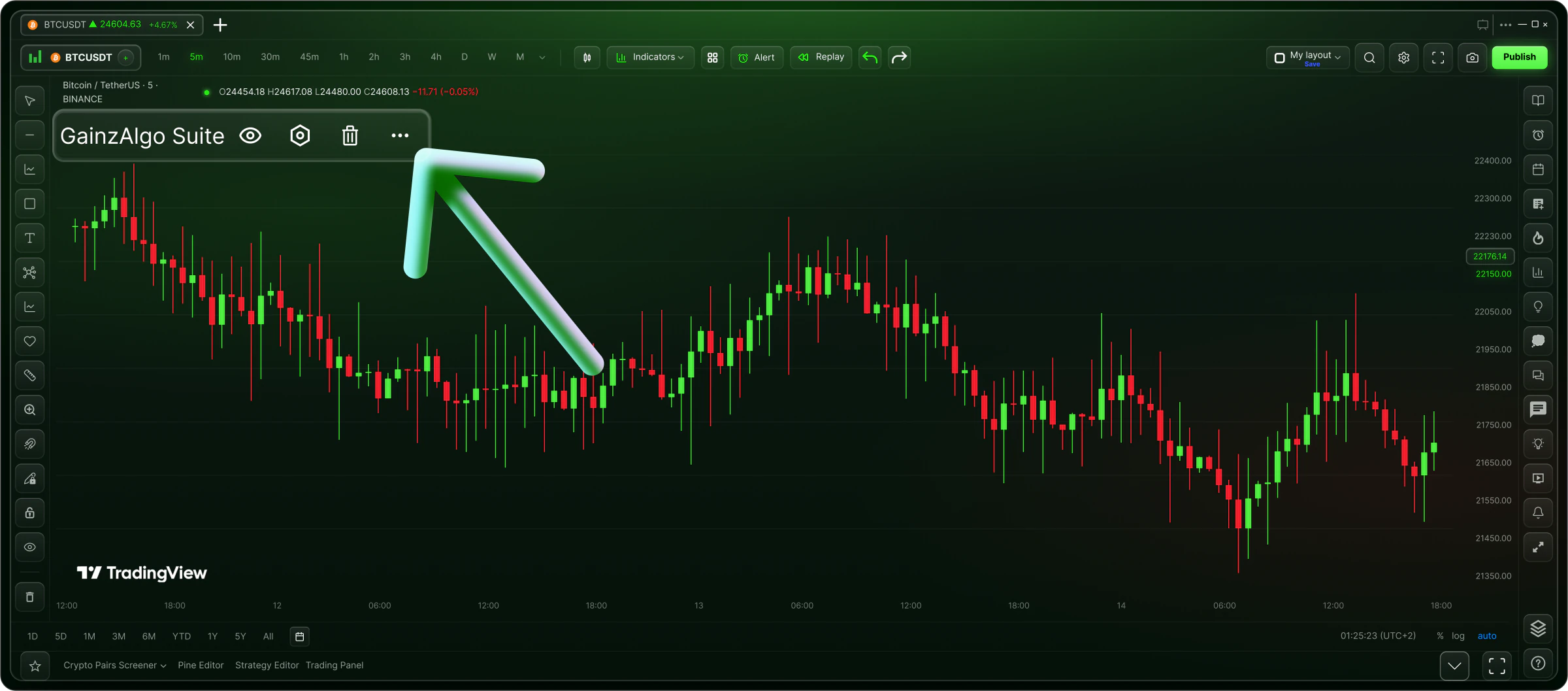
Click Three Dots
Right-click or click the three dots on your GainzAlgo indicator.
2
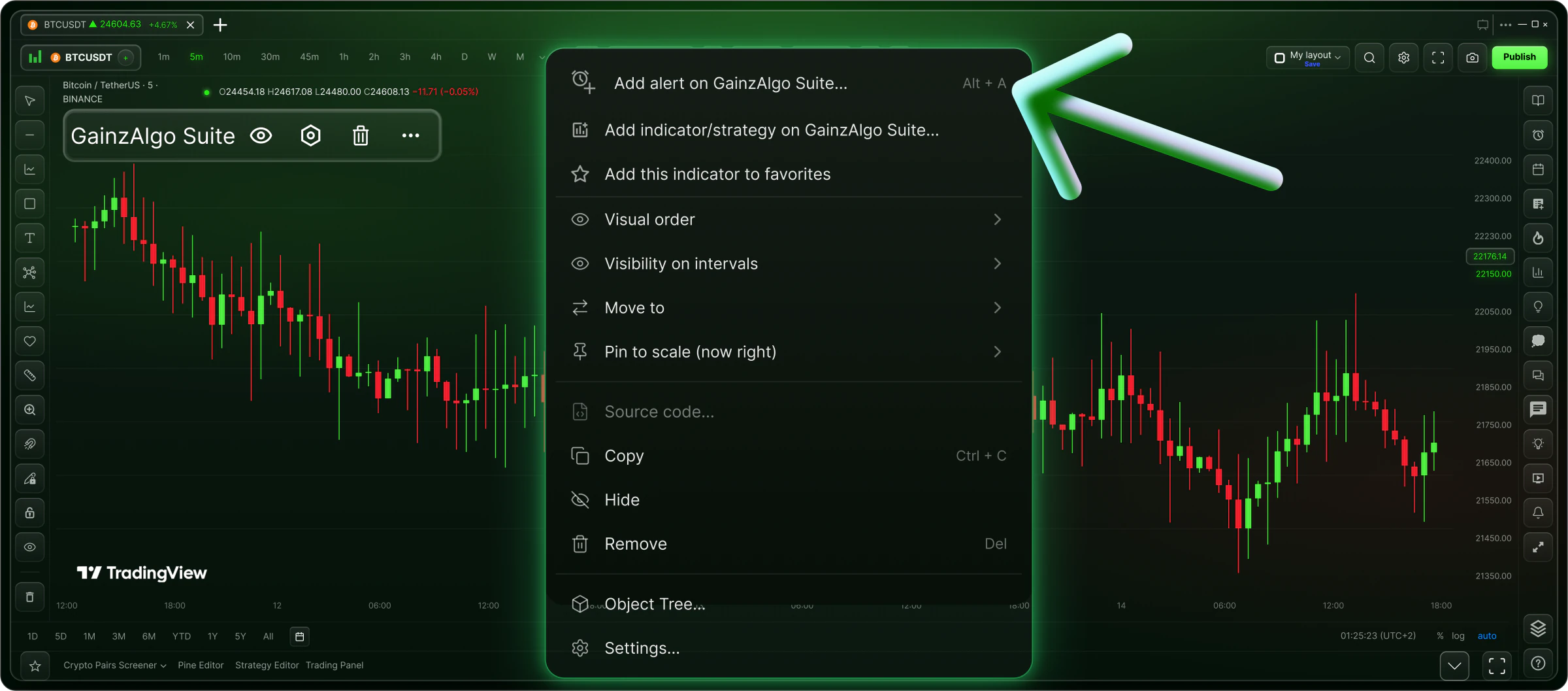
Add Alert
Select "Add alert on GainzAlgo Suite" from the option menu.
3
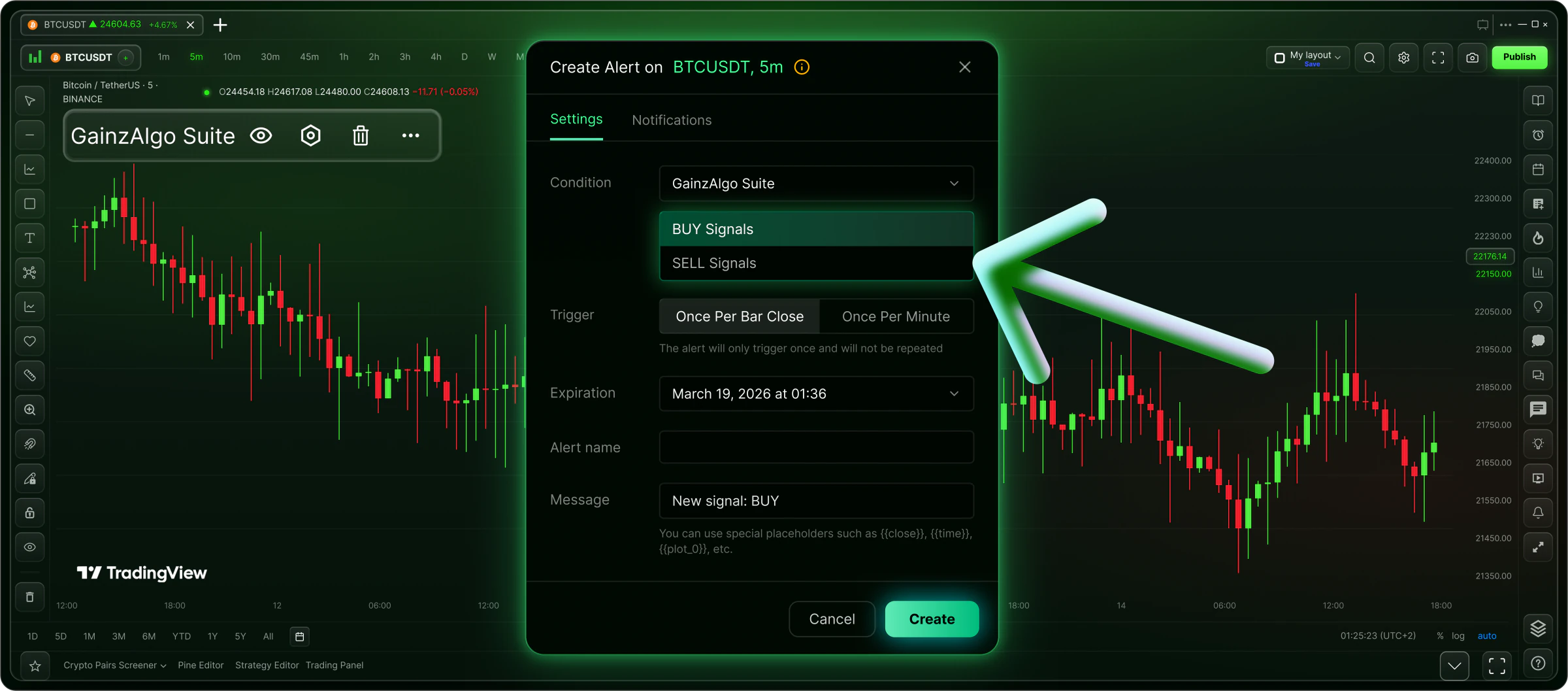
Select Signals
Choose BUY or SELL alerts and click Create to start receiving notifications. Finished!